What Is a Workflow? A Plain Definition for Ops Teams
Summary
What is a workflow? It is a repeatable sequence of steps that moves work from a trigger to an output, with defined handoffs between people or tools. Four parts make one: trigger, steps, handoffs, output. It differs from a process (the big picture) and an SOP (the how-to for one step). Map it with the people who run the work, time each step, then pick what to automate.
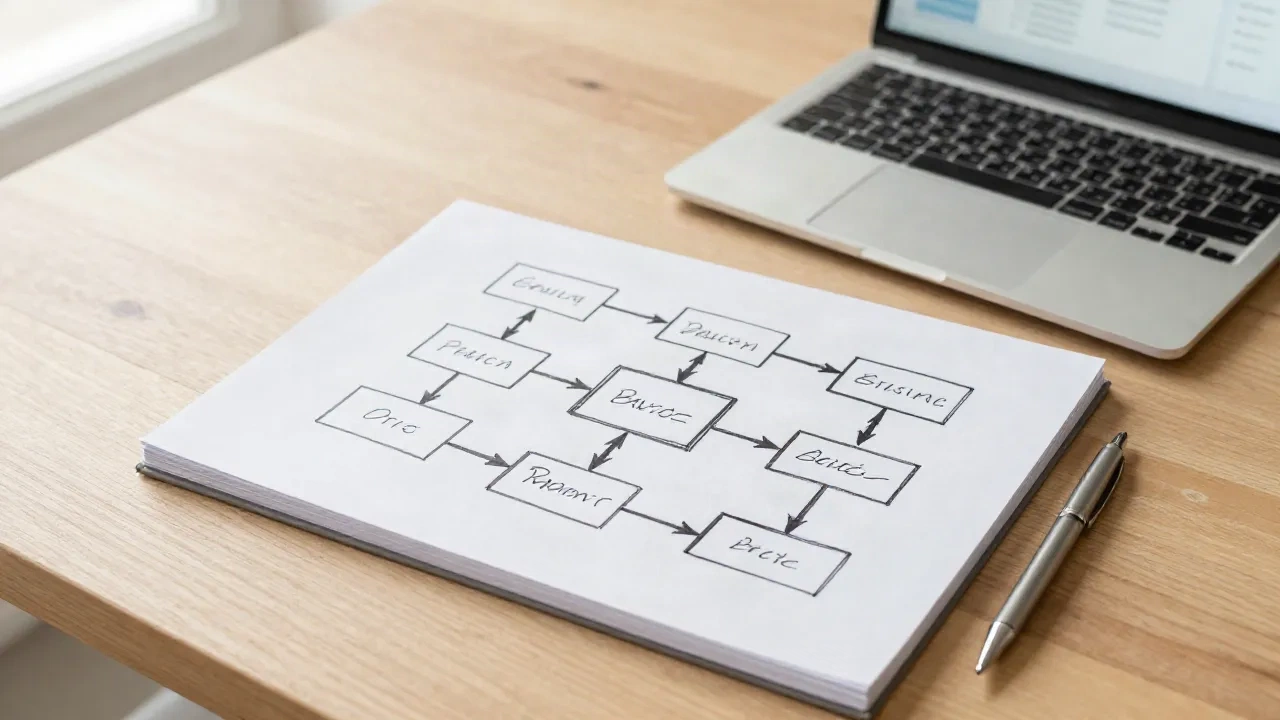
What is a workflow? It is a repeatable sequence of steps that moves a piece of work from start to finish, with a clear trigger, defined handoffs between people or tools, and an expected output. That is the whole answer, in one sentence. If you can name the trigger, the steps, the owner of each step and the result, you have a workflow. If you cannot, you have a habit.
I consult for early-stage GTM teams, and this question comes up more than you would expect. Ops leads use the word daily, but each person in the room means something slightly different. Here is the version I use with clients.
What is a workflow, in terms an ops team can actually use?
Briefing, 30 seconds: a workflow has four parts. Trigger, steps, handoffs, output.
Take a deal review. The trigger is a deal moving to stage 3 in the CRM (customer relationship management tool). The steps are: pull account data, check the last three touchpoints, draft a risk summary, post it in the deal channel. The handoffs are the moments the work changes owner, for example from the AE (account executive) to the sales manager. The output is a decision: advance, hold or drop.
Strip out any of the four and the workflow gets fuzzy. No trigger means someone has to remember to start it. No handoff rules means work sits in a queue nobody owns. No defined output means you never know when it is done.
A workflow is not the same as the tool it runs in. The same deal review can run in HubSpot, in a Notion database or in a Slack thread. The tool changes. The sequence stays.

Workflow vs process vs SOP: where do the lines fall?
People swap these three words constantly. Sources disagree on the exact boundaries, and vendor glossaries bend the definitions to fit their product. This is the split that holds up in practice.
Process: the big picture. What the team does and why, from input to business result. "Qualify inbound leads" is a process.
Workflow: the movement. The sequence of steps, roles and handoffs inside a process. It cares about who touches the work and when it changes hands.
SOP (standard operating procedure): the detailed how-to for one step. It exists so that any person produces the same result.
ClickUp's breakdown of work instructions versus SOPs draws a similar line between the sequence of work and the instructions for a single task. Skip the arguments about terminology. Pick one meaning per word and write it in your team wiki.
My rule: write an SOP only where consistency matters, such as pricing approvals or data deletion. Everything else, map the workflow and stop. An SOP nobody opens is worse than no SOP, because it gives you false confidence.
Why does the definition matter? Because unmapped work is expensive
If your team runs on tribal knowledge, the cost shows up as coordination. Asana's Anatomy of Work Index, a survey of knowledge workers, found that people spend about 60% of their time on "work about work", meaning status updates, searching for information and switching apps. The survey dates from 2021 and it is self-reported, so treat the number as a direction, not a benchmark for your team.
What I see on the ground matches the direction. A client with a six-person GTM team had three Notion wikis and no written handoff between SDRs (sales development reps) and AEs. Leads went cold for two to three days between stages. Nobody was lazy. Nobody knew who owned the next step.
Mapping that one handoff took about 90 minutes. We wrote the trigger, the owner and a 24-hour expectation. That is a workflow. It is not impressive, and it worked.
What are the main types of workflow?
Three types cover most of what ops teams run.
Sequential workflows. Step B starts only when step A finishes. Contract approval is the classic case: legal, then finance, then the signer. Easy to draw, easy to break when one person is on holiday.
Parallel workflows. Several steps run at once and join later. Customer onboarding often works this way: billing setup, data import and a kickoff call happen side by side, and go-live waits for all three.
Conditional workflows. The path depends on a rule. A lead above a score of 80 goes to an AE. Below that, it goes to nurture. Most real workflows are conditional, which is why the first draft on a whiteboard is always wrong.
Skip the fancier taxonomies (state machine, rules-driven, case-based) until you have at least five working workflows. Beginners pick the label before they have the work.
How do you map a workflow in 30 minutes?
Do this with the people who run the work, not the people who manage it. Managers describe the process on paper. Operators describe what happens on a Tuesday.
Name the trigger. What event starts this? A form fill, a stage change, a Monday calendar slot. If the answer is "someone remembers", that is your first finding.
List the steps in the order they really happen. Use sticky notes or a Notion page. One verb per step: pull, check, draft, send.
Mark every handoff. Circle each place where the work changes owner or tool. These are where work stalls.
Write the output. One sentence. "A risk summary posted in the deal channel within 15 minutes."
Time it. Note how long each step takes today. If you do not know, write "to measure in your context" and measure it for one week.
Stop at one page. A workflow that needs a three-page document will not get followed.

What are the usual ways a workflow breaks?
Four failure modes cover most of what I get called in to fix.
The documented path and the real path differ. The wiki says five steps. People do three and skip the rest. If the team routes around your workflow, the workflow is wrong, and more reminders will not fix it. Redesign it.
Nobody owns the handoff. Each step has an owner, but the gap between steps has none. Name the receiver, not just the sender.
The exception becomes the rule. You map the happy path and ignore the 30% of cases that do not fit. Write one line for "what happens when this fails", even if the answer is "ping the ops lead".
The workflow outlives its purpose. A step added after one bad quarter stays forever. Review each workflow every quarter and delete one step. Most teams find something dead within ten minutes.
Where do tools fit once the workflow is written down?
Tool first, workflow second is the most common mistake I see. A team buys a platform, then discovers they cannot configure it because they never agreed on the steps.
Once the sequence is on paper, tools become easy to evaluate. Four categories show up again and again in ops stacks.
Workspaces and databases. Notion works well when the workflow is mostly humans moving a record through statuses, with templates and a board view. Its Custom Agents (added in a February 2026 update) can automate multi-step jobs on a credit system, so check your credit usage before rolling it out to a whole team.
CRM suites. HubSpot handles stage-based workflows well, because the trigger (a deal stage change) already lives inside it. Worth it if your workflow starts and ends in the CRM. Skip it if half your steps happen in other tools.
Data and enrichment. Clay fits workflows where the main work is gathering and enriching data on accounts. The free tier is enough to test one prospecting workflow. Paid plans start at $185 a month, which is real money for a small team.
Agents. Lindy builds small persistent agents that run one recurring job, such as triaging an inbox or prepping a meeting. It suits workflows with a clear trigger and a repeatable output. It is a poor fit when the steps still change every week.
None of these replaces step one. Write the workflow first. The tool just executes it.
Which workflows should you automate first?
Not the ones that annoy you the most. The ones that pass three tests.
It runs at least weekly.
The steps are the same nine times out of ten.
A wrong output is cheap to fix.
A weekly meeting prep, a lead routing rule and a CRM field cleanup all pass. A pricing exception or a churn save call does not. Those need judgement, and a person should stay in the loop.
For the first one, aim for a measurable delta. Going from 40 minutes of copy-paste to 8 minutes of review is a result you can show your boss. "Saves time" is not.
How does an AI command fit into a workflow?
An AI command is one step inside a workflow, not the workflow itself. Think of it as a verb you can reuse. Instead of writing a long prompt each time, you trigger a saved command like /summarize on a call transcript and get the same structured output every time.
Chain three of them and you have a small workflow: /research on an account, /summarize the findings, /draft-email for the first touch. The trigger is you typing the first command. The output is a draft you review before sending. The limit is real: the chain only works as well as the step definitions behind it, and you still own the handoff to the human.
That is also the honest test for any AI workflow. If you cannot describe the steps without naming the model, you have a demo, not a workflow.
Your next command
Pick one workflow your team runs every week. Block 30 minutes. Write the trigger, the steps, the handoffs and the output on one page, then time each step for five working days.
Do not automate anything yet. Once you have that page and those timings, you will know exactly which step to hand to a tool, and which to keep in human hands. That is the whole definition, put to work.